> Collect player ratings and comments during play or through a feedback button, kiosk, or
# Scene Feedback
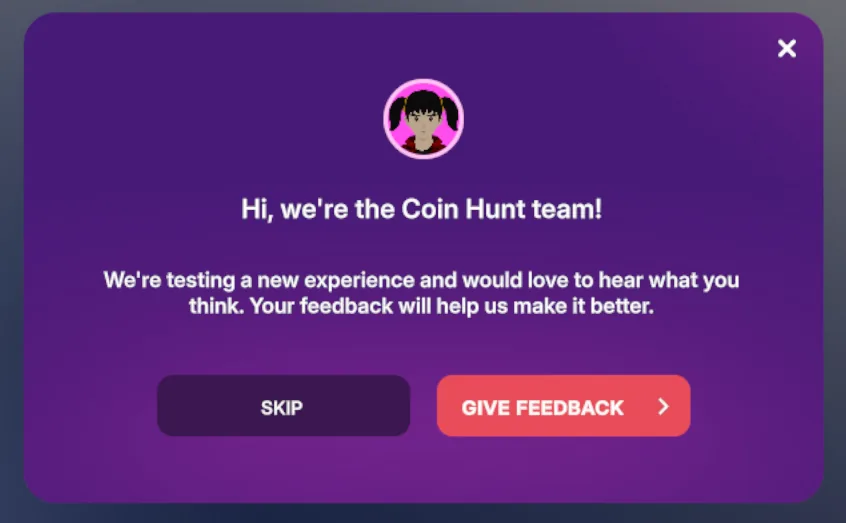
The demo invites players to choose whether to participate.
Learn what players find confusing, frustrating or enjoyable, even when you cannot watch them play. This reusable module includes a coin-hunt scene showing how to collect feedback during play and when players choose to give it.
- [Play shared test build (Zone)](https://decentraland.zone/jump/?dclenv=zone&realm=sdk7testscenes.dcl.eth&position=0,-1)
- [Installation and usage guide](https://github.com/decentraland/sdk7-test-scenes/blob/main/scenes/0,-1-scene-feedback/README.md)
## Project information
**Maintained by:** Decentraland
[View source](https://github.com/decentraland/sdk7-test-scenes/tree/main/scenes/0,-1-scene-feedback)
**License:** Not identified in this catalog. Consult the upstream repository and maintainer for applicable terms before reuse.
## Add it with an AI agent
1. Make sure [Decentraland SDK Skills](https://github.com/decentraland/sdk-skills#updating-skills) are installed and up to date.
2. Tell your AI agent: "I want to gather feedback from players in this scene."
The agent can use the Scene Feedback skill to help at two stages:
- **Before a playtest:** adapt questions, rating scales and timing to your game, then integrate the module after you review the plan.
- **After a playtest:** use the skill again with your CSV files to identify recurring problems and preferences, review the evidence and decide what to investigate next. You can also ask for a [human-readable HTML report](#example-ai-generated-feedback-report) with grouped answers and rating summaries.
Prefer to integrate it yourself? Follow the [installation guide](https://github.com/decentraland/sdk7-test-scenes/blob/main/scenes/0,-1-scene-feedback/README.md#add-it-to-your-scene).
## How the module fits into your scene
You choose when to invite players, which questions to ask and when those questions appear in your game. The [coin-hunt demo in Zone](https://decentraland.zone/jump/?dclenv=zone&realm=sdk7testscenes.dcl.eth&position=0,-1) shows one possible setup:
1. **Collect the first coin.** An invitation asks whether the player wants to give feedback: "Hi, we're the Coin Hunt team!" If accepted, one question follows: "How easy or difficult was it to spot the coins?" The player chooses a rating and can add a comment.
2. **Finish the first round (five coins).** Players who agreed to participate receive two questions, one after another: how clear the next goal is and whether they want to keep playing.
3. **Give feedback at any time.** Any visitor can use the **Leave feedback** button, clickable kiosk or marked area to open a welcome message followed by a question set, even after declining gameplay questions.
Choose how players take part:
- **Players who opt in:** invite players with an on-screen prompt, or let them open a feedback form through a button, kiosk or marked area.
- **Selected testers:** use your game logic to choose testers by wallet list or another rule, then enroll them with `feedback.enroll`. See the [selected-tester example](https://github.com/decentraland/sdk7-test-scenes/blob/main/scenes/0,-1-scene-feedback/EXAMPLES.md#4-selected-testers-without-an-intro).
- **Or ask anyone:** show questions to visitors during play without a prior invitation or tester list. Players can still decline. See the [participation settings](https://github.com/decentraland/sdk7-test-scenes/blob/main/scenes/0,-1-scene-feedback/README.md#asking-participants-during-play-dynamic-approach).
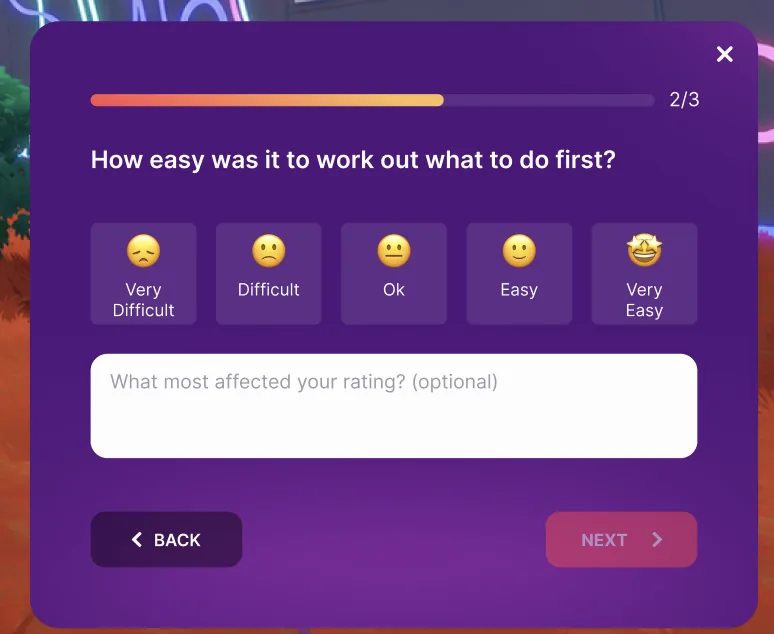
A question with a labelled rating and an optional comment.
## Key features
- **Flexible questions.** Choose ready-made questions and rating scales, adapt them to your game or create your own. Use labelled ratings, optional comments or text-only answers.
- **Participation rewards.** Encourage participation with a reward that fits your game. In the demo, answering every question in one form earns a visit-only Playtest Contributor nameplate visible to you, +5 coin score and double score for the next five pickups, once per visit. Any rating counts; comments remain optional.
- **CSV results in scene Storage.** A Multiplayer Server saves each response with its question and gameplay moment. Download the files to review in a spreadsheet.
## Adapt it to your scene
Use the [integration recipes](https://github.com/decentraland/sdk7-test-scenes/blob/main/scenes/0,-1-scene-feedback/EXAMPLES.md) to connect questions to your own game events, including inviting participants now and asking after later gameplay. For playtest planning and finding players, see [Playtests](/docs/creator/sdk7/design-experience/playtests/).
## Example AI-generated feedback report
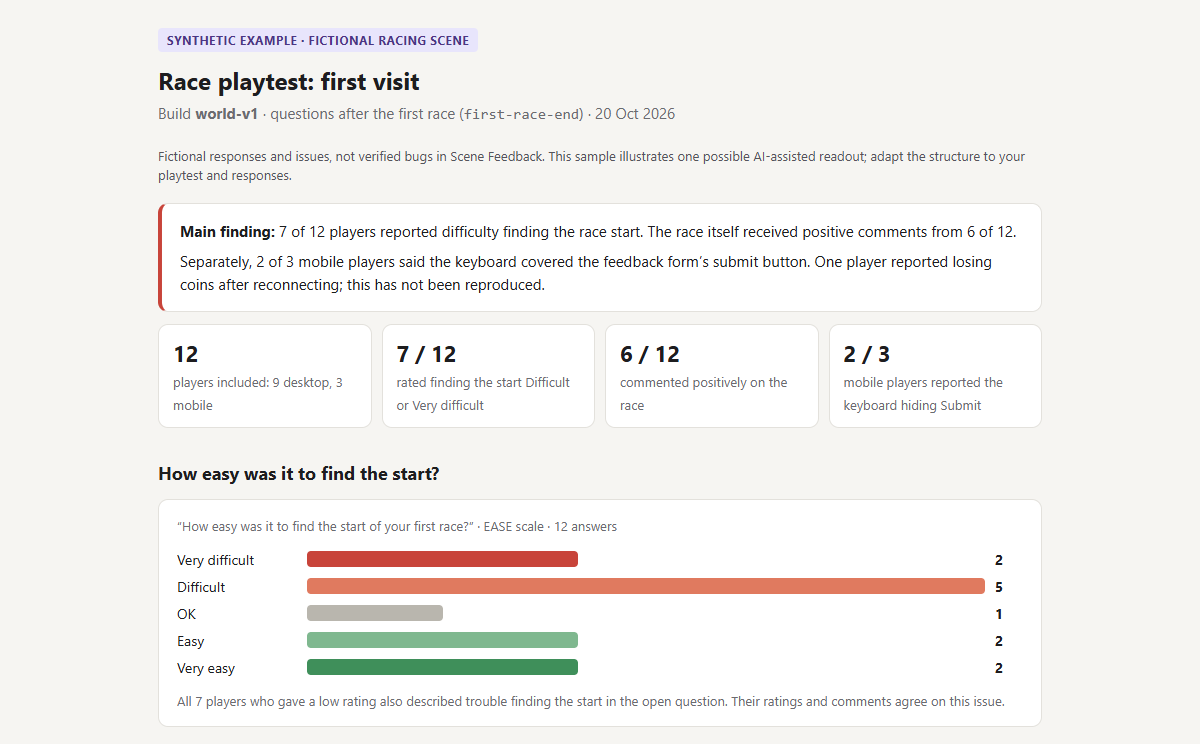
**The report is created by an AI agent, not by the Scene Feedback module.** Give your agent the exported CSV files and use the Scene Feedback SDK skill to analyze them and generate an HTML report.
This example uses synthetic responses from a fictional scene. Your agent can tailor the analysis and report to your own playtest questions and data.
Illustrative report using synthetic responses from a fictional scene.
{% file src="/docs/creator/.gitbook/assets/scene-feedback-example-report.zip" %}
Download the example report, extract the ZIP and open the HTML file in your browser.
{% endfile %}