Fastlane Bowling
Multiplayer bowling with server-simulated physics, persistent progression, batched
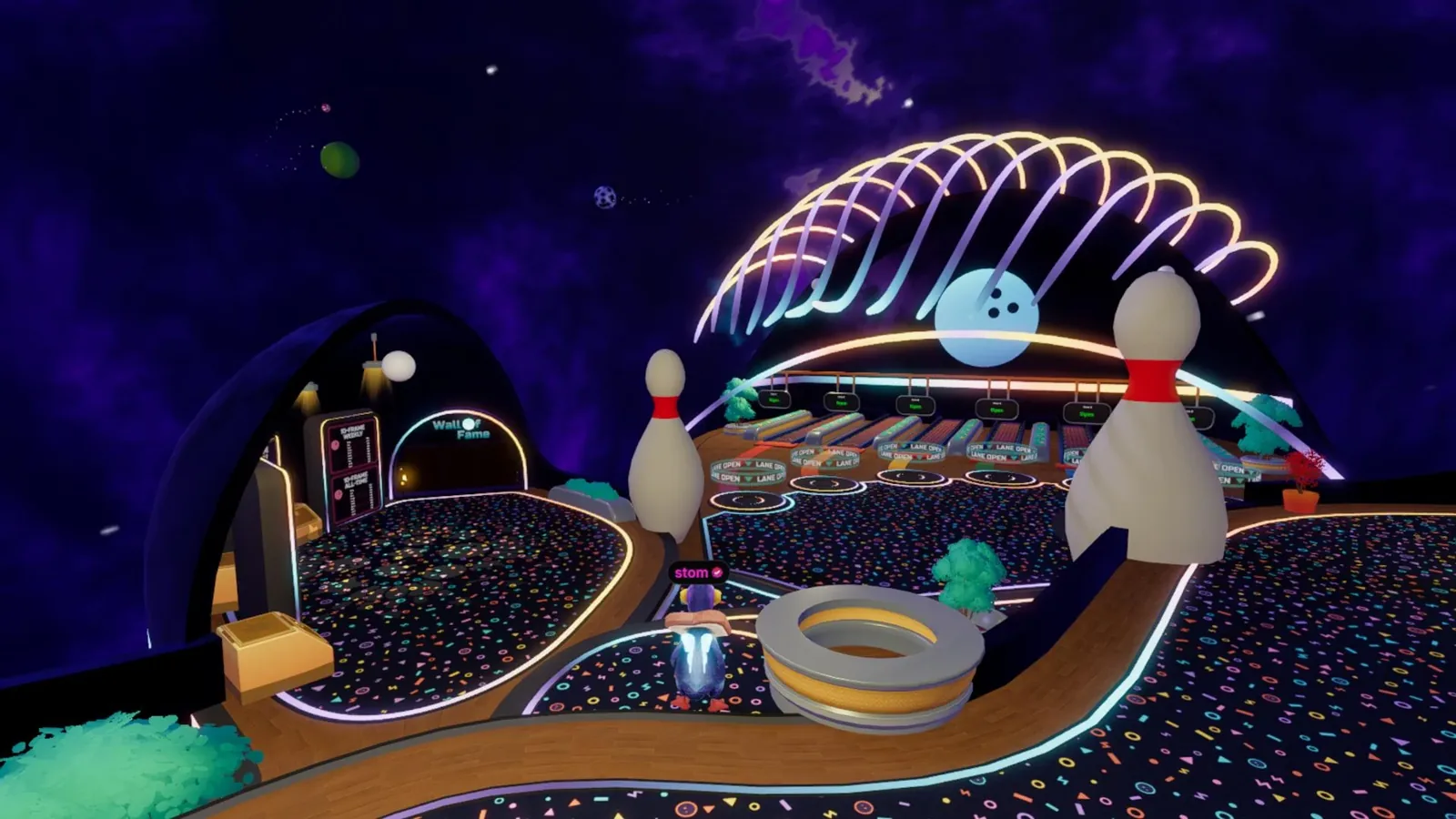
A multiplayer bowling game with realistic physics provided by Cannon-ES. Multiple games run across separate lanes in a shared space.
Project information
Maintained by: Community · stom66
License: CC BY-NC-ND 4.0. Check upstream terms before reuse; code and assets may have different terms.
Community-maintained code — review before use
This community project is maintained outside the Decentraland Foundation and DAO GitHub organizations. Its source code and live deployment may change independently.
Inclusion in this catalog does not imply a security audit or guarantee of safety. Review code, dependencies, and installation scripts before running or reusing it.
Report a catalog concern. For suspected vulnerabilities, follow the upstream project's security policy. Do not include exploit details or credentials in public issues.
Key features
- Cannon-ES physics on the Multiplayer Server, with compressed keyframes replayed by clients.
- Storage for player progression, stats, preferences, inventory, and weekly/all-time leaderboards.
- Dynamic lights with rotating shadow masks and spotlights that follow the ball.
- Particle trails and unlock effects, with reduced particle counts on mobile.
- Virtual cameras for the arrival fly-in, aiming, and roll playback.
GltfNodeModifiersfor scrolling neon texture UVs.- SDK-controlled glTF animations for lane bumpers, countdowns, and scoring effects.
Explore the code
These links point to a specific source snapshot so the explanations remain useful as upstream development continues. They are learning references, not a security assessment.
Batch synchronized state changes into client events
In LaneWatcher.onLaneChanged, a set collects changed lanes and schedules one flush. flush reads each lane's snapshot and emits state and phase-transition events. Follow this flow to understand how the scene connects synchronized components to client reactions.
Project context: Read it alongside the project's LaneStore and event-bus definitions.
Source references:
Scale particle effects for mobile
getParticleRatio and scaleConfig adjust emission rates, particle limits, and burst counts using a mobile ratio while preserving the original configuration. spawn applies that configuration to a new emitter, with optional parenting and timed cleanup.
Project context: This is useful when studying how one effect configuration can serve different devices.
Source references: