Slay the Steps
A multiplayer Festive Trail scene with custom avatars, Marketplace integration, a
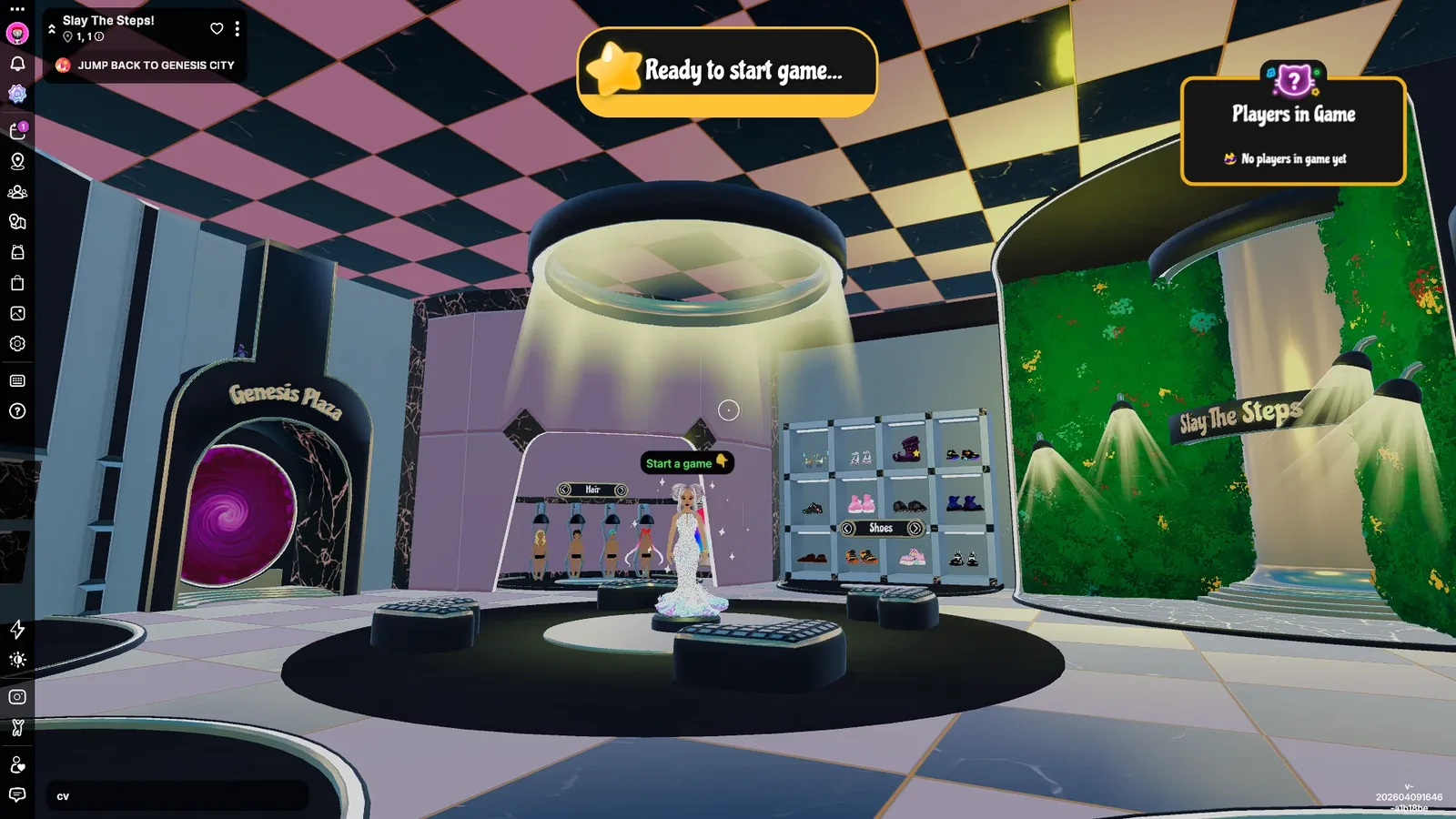
A Studio-made Multiplayer Server experience built for Decentraland Festive Trail 2025. It includes custom avatars, Marketplace API integration, and a custom colour-wheel picker. Its code separates client, server, and shared modules, and includes the source assets alongside the deployable scene.
Project information
Maintained by: Community · stom66
License: CC BY-NC-ND 4.0. Check upstream terms before reuse; code and assets may have different terms.
Community-maintained code — review before use
This community project is maintained outside the Decentraland Foundation and DAO GitHub organizations. Its source code and live deployment may change independently.
Inclusion in this catalog does not imply a security audit or guarantee of safety. Review code, dependencies, and installation scripts before running or reusing it.
Report a catalog concern. For suspected vulnerabilities, follow the upstream project's security policy. Do not include exploit details or credentials in public issues.
Key features
- Cinematic virtual cameras
- AvatarShapes for showcasing wearables
- Multiplayer for syncing rounds/player outfits
- Custom 3D color picker
Explore the code
These links point to a specific source snapshot so the explanations remain useful as upstream development continues. They are learning references, not a security assessment.
Turn a 3D pointer hit into a color selection
GetLocalMousePosition raycasts from the camera and converts the hit into the wheel's local position. SampleColorWheel maps its angle and radius to hue and saturation, invokes a callback, and tints the value slider.
Project context: The implementation uses the project's wheel meshes, HSV conversion helper, and material-node names.
Source references:
Track a moving target with a virtual camera
The camera position system and tween chain periodically calculate a position relative to the player and target, then tween toward it. TrackEntity creates the camera with lookAtEntity and makes it active.
Project context: Read ResetCamera and the game's event binding for the end of the tracking lifecycle.
Source references: